Protobuf Visibility Without Schema Registry: A More Flexible Way to Inspect Kafka Records
This is Part 1 of a 5-part series exploring The Protobuf Visibility Gap in Kafka Operations | Next Article
Protocol Buffers, usually called Protobuf, give development teams an efficient way to serialize structured data. A .proto file defines the fields, types, and relationships that make the binary data meaningful. The tradeoff is that a serialized Protobuf record does not fully describe itself. Without the applicable definition, an operations user may see bytes rather than the business values needed for troubleshooting or validation. Google’s documentation makes this dependency explicit: interpreting a Protobuf message requires access to its corresponding .proto definition. [1]
That distinction matters in Kafka operations. A broker can store and deliver a record successfully even when the people supporting the environment cannot read the payload. Throughput can be normal, partitions can be available, and consumers can remain current while an authorized support or risk user still lacks a practical way to answer a simple question: What values are actually in this record?
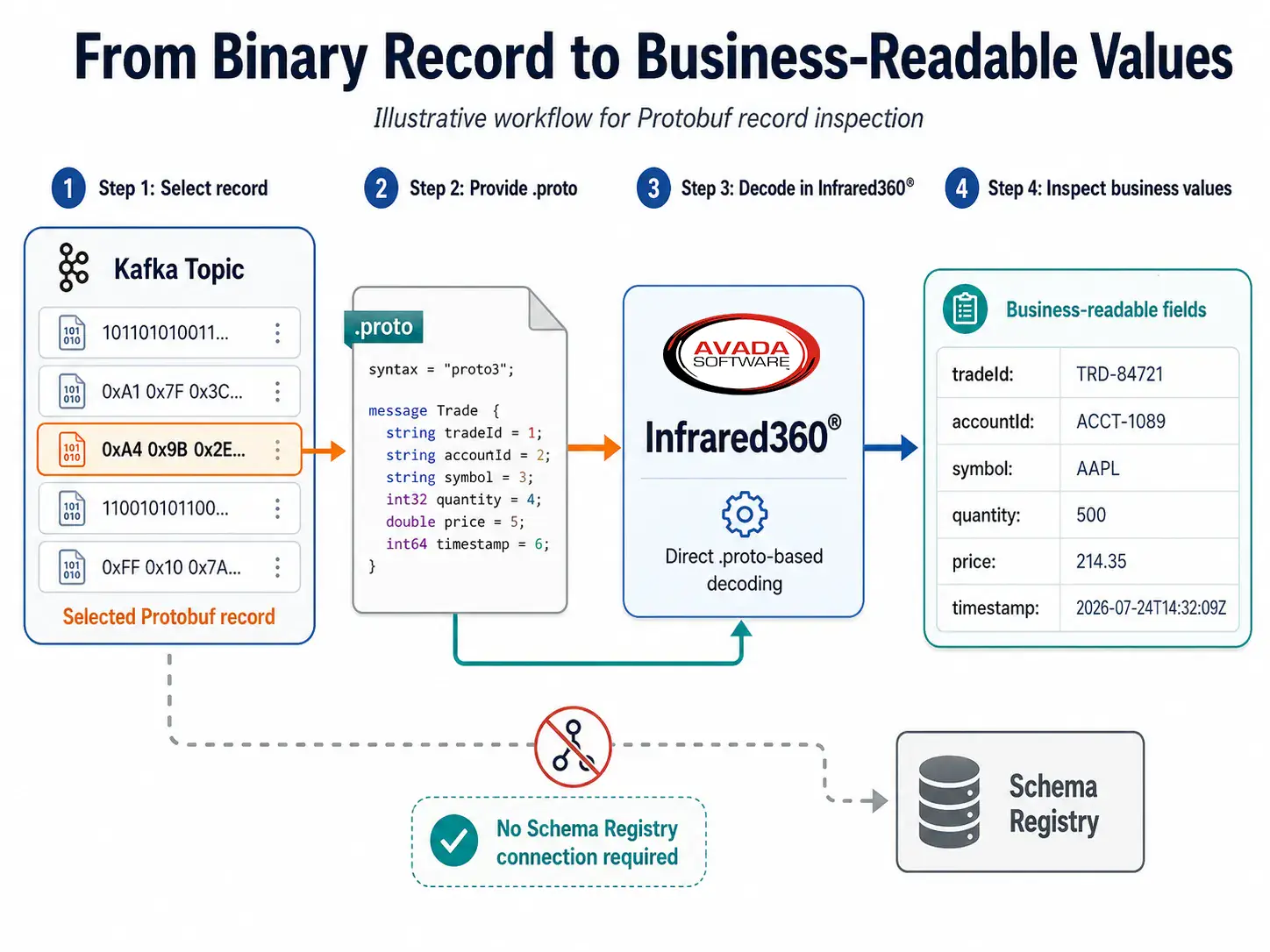
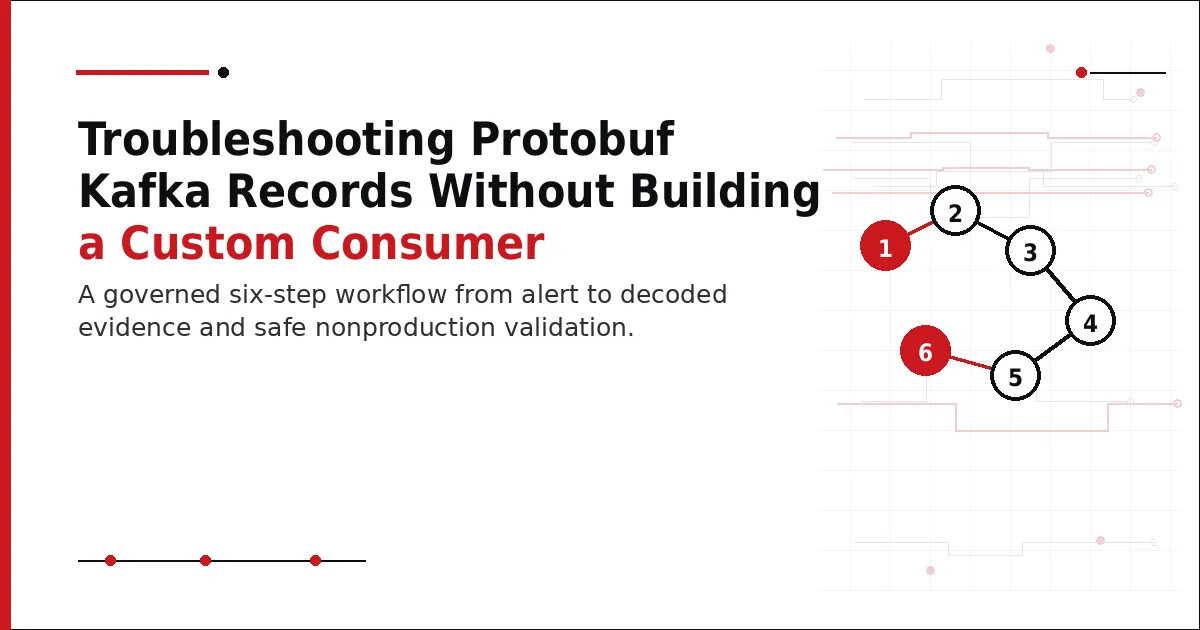
Illustrative Workflow to inspect Protobuf Kafka messages without Schema Registry
Why Protobuf visibility is usually tied to a schema workflow
Confluent provides a mature schema-management model. Schema Registry stores and retrieves Avro, JSON Schema, and Protobuf definitions, supports compatibility controls, and works with serializers and deserializers that place a schema identifier in the Kafka record’s wire representation.[2] Confluent Cloud Console and Control Center then use Schema Registry integrations to display structured messages in their message browsers.
For organizations standardized on that architecture, the workflow is convenient. The producer serializes a record through Confluent tooling, the schema is registered under a subject, and the browser locates the associated schema. Confluent’s current Cloud message browser can inspect, filter, download, validate, and produce messages with schemas.[3]
But that is not the only way enterprises use Protobuf. Some applications use raw Protobuf serialization without Confluent’s wire format. Some Kafka estates are based on Apache Kafka or another distribution. Some producers use RecordNameStrategy or TopicRecordNameStrategy rather than the default TopicNameStrategy. Some support teams have access to a topic and an approved .proto file but not to the organization’s Schema Registry service.
The direct .proto workflow
Infrared360® provides a different operational path. Instead of connecting to Confluent Schema Registry to retrieve the definition, Infrared360 can use a customer-provided .proto file directly to decode a supported Protobuf record. The user selects the applicable definition and inspects the record in a readable structure.
This does not make Schema Registry unnecessary. Schema Registry serves important development and governance functions, including schema storage, compatibility checking, reuse, and controlled evolution. Direct .proto-based inspection solves a different problem: giving an authorized operator a way to understand record content when the native browser’s schema-association requirements do not match the situation.
Two Protobuf inspection paths
| Operational Question | Schema Registry-Based Browser | Direct .proto Inspection in Infrared360 |
|---|---|---|
| Where does the schema come from? | Retrieved through the registered schema and subject association. | Provided or approved by the customer as a .proto definition. |
| Does the workflow require Schema Registry? | Yes, for schema-based deserialization in the native browser. | No connection to Schema Registry is required. |
| What naming strategy is important? | Confluent's UI uses TopicNameStrategy for topic-based schema association and deserialization. | The operator selects the applicable .proto definition rather than relying on the topic-to-subject lookup. |
| Where is it especially useful? | Confluent environments that follow the supported Schema Registry workflow. | Non-Confluent Kafka, unregistered schemas, alternate subject strategies, and operational troubleshooting with standalone .proto files. |
| What does it not replace? | External operational tooling, cross-middleware administration, or workflows outside the Confluent stack. | Enterprise schema governance, compatibility management, or producer-side serialization controls. |
Why TopicNameStrategy creates a practical boundary
Confluent supports several subject naming strategies for Schema Registry. TopicNameStrategy is the default, while RecordNameStrategy and TopicRecordNameStrategy support use cases such as multiple record types in one topic. Confluent’s documentation also states that its Cloud Console and Control Center user interfaces use only TopicNameStrategy to associate schemas and topics; schemas that use other naming strategies are not found through those UI lookups.[4]
That does not mean Confluent cannot process records that use other strategies. Applications can use supported serializers and deserializers. The narrower point is that the administrative message-browser workflow has prerequisites. Direct .proto inspection can provide another route when those prerequisites are not met.
Operational situations where the difference matters
Consider an application support team investigating a record that a downstream service rejected. The developers know which .proto definition the producer used, but the schema was never registered in Confluent Schema Registry. Building and deploying a temporary consumer may require code review, credentials, network approvals, and production change procedures. A controlled administrative tool that accepts the approved definition can shorten the path from binary data to an understandable record.
The same pattern can arise during a migration. An enterprise may be moving from open-source Kafka to Confluent, consolidating several Kafka platforms, or containerizing a Kafka estate. Schema-management practices may differ across applications and environments. Keeping record inspection available through a direct .proto workflow can preserve operational visibility while the architecture changes.
It is also relevant to separation of duties. Application developers may own schemas, a platform team may own Kafka, and a risk or operations team may need read-only visibility into selected record content. Infrared360 is designed as a persona-based portal for monitoring, administration, testing, auditing, dashboards, and controlled self-service across middleware technologies.[5] That broader governance model can make message inspection part of an approved operational workflow rather than an ad hoc developer task
Build resilience beyond a single tool boundary
Download “Empowering Infrastructure Architects: Ensuring Resilience in Middleware Architectures for Modern Enterprises” for practical guidance on real-time visibility, proactive monitoring, automation, and secure collaboration across modern middleware environments.
How to evaluate direct Protobuf inspection
A proof of concept should use the organization’s real messages and real .proto definitions. Test nested messages, enums, maps, imported definitions, multiple message types, schema evolution, record keys, record values, and the framing used by the producing application. Also confirm how an operator selects the intended message type and how permissions and audit records are applied.
The goal is not to prove that one schema architecture is universally better. It is to determine whether the operations team has a reliable way to inspect the records it may encounter. If every relevant producer follows Confluent’s Schema Registry conventions, the native browser may cover the requirement. If the estate contains exceptions, multiple Kafka distributions, or separately managed definitions, direct .proto inspection can close a meaningful visibility gap.
The takeaway
“Supports Protobuf” is too broad to be useful in a product comparison. The better questions are: How is the schema located? What record framing is expected? Which naming strategies can the administrative interface resolve? Who is allowed to inspect the content? And what happens when the schema exists only as a customer-controlled .proto file?
Infrared360’s Protobuf difference is not that Confluent lacks Protobuf support. Confluent offers comprehensive schema-based capabilities inside its ecosystem. The difference is that Infrared360 can provide a separate, Schema Registry-independent inspection path using the customer’s .proto definition. For enterprises with mixed architectures or operational access boundaries, that flexibility can be the difference between knowing that a record moved and understanding what the record contained.
FAQ
Endnotes
- Protocol Buffers Documentation, “Overview.” https://protobuf.dev/overview/
- Confluent Documentation, “Schema Registry for Confluent Cloud.” https://docs.confluent.io/cloud/current/sr/index.html
- Confluent Documentation, “Use Message Browser in Confluent Cloud.” https://docs.confluent.io/cloud/current/topics/messages.html
- Confluent Documentation, “Formats, Serializers, and Deserializers for Schema Registry on Confluent Cloud.” https://docs.confluent.io/cloud/current/sr/fundamentals/serdes-develop/index.html
- Avada Software, “Infrared360 Product Details.” https://avadasoftware.com/infrared360-product-details/
Related Posts




More Infrared360® Resources
About the Author: Scott Treggiari